

Widgets allow you to quickly access your saved articles, AI insights, conversations, and highlights directly from your Home Screen.
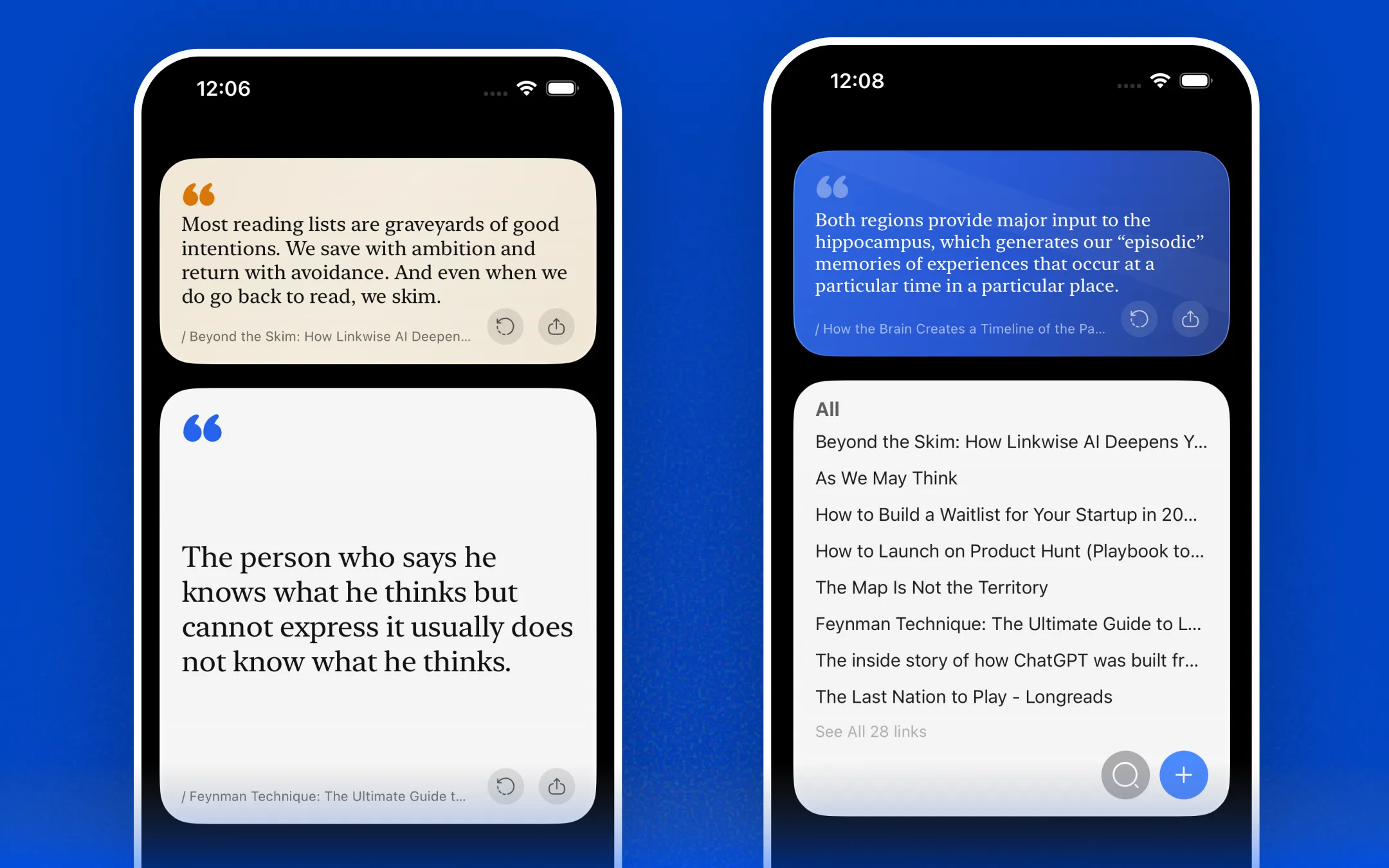
Add Widgets to your home screen
Need a quick refresher? Check out Apple’s official guide on how to add widgets to your Home Screen: Learn more
Widget Elements & Interactions
MyLink Widget
The MyLink widget displays your most recently saved links. Tapping an individual link lets you instantly open the article in reader mode, view AI insights, or start a conversation with the link based on your widget settings.
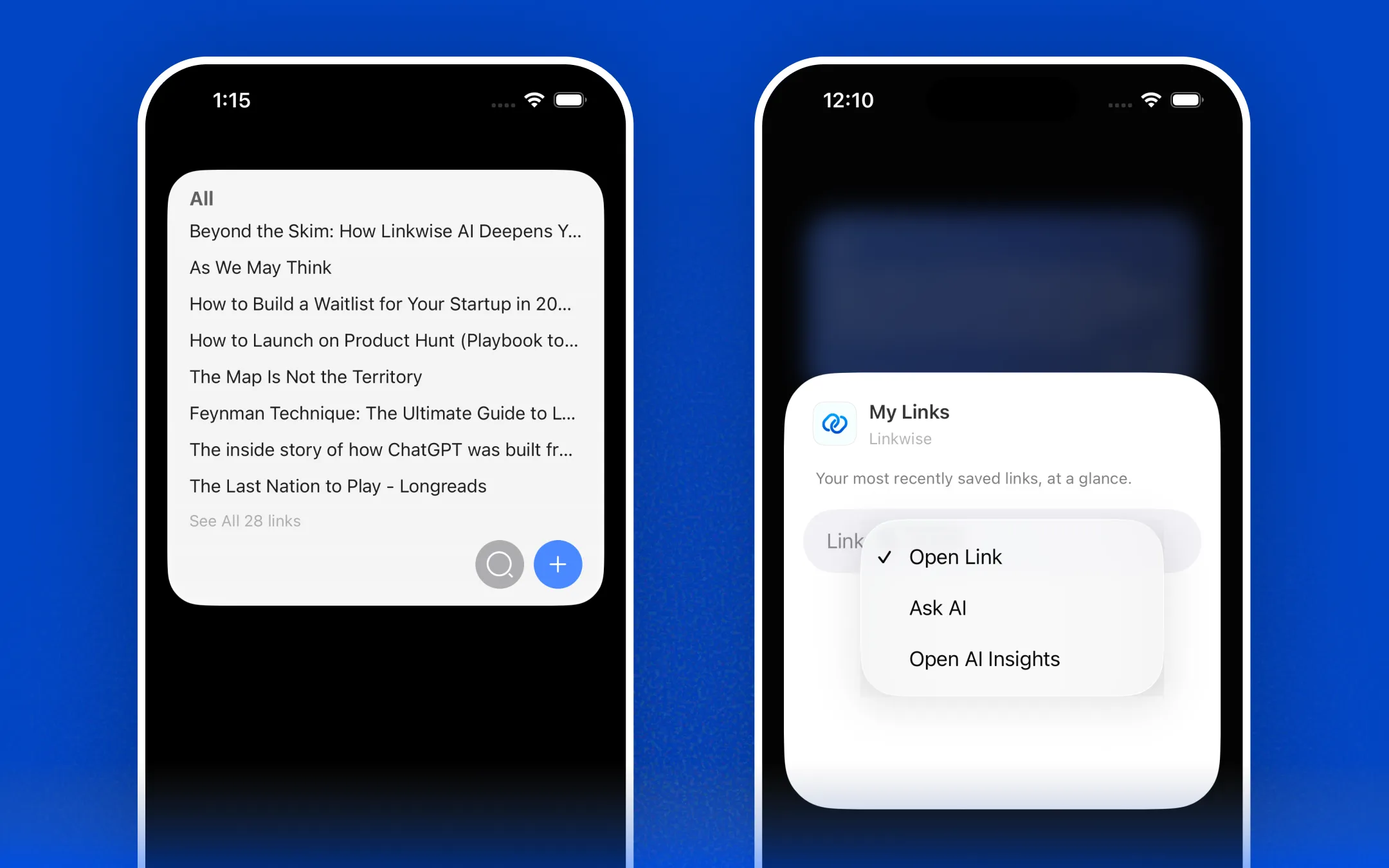
Quick Actions:
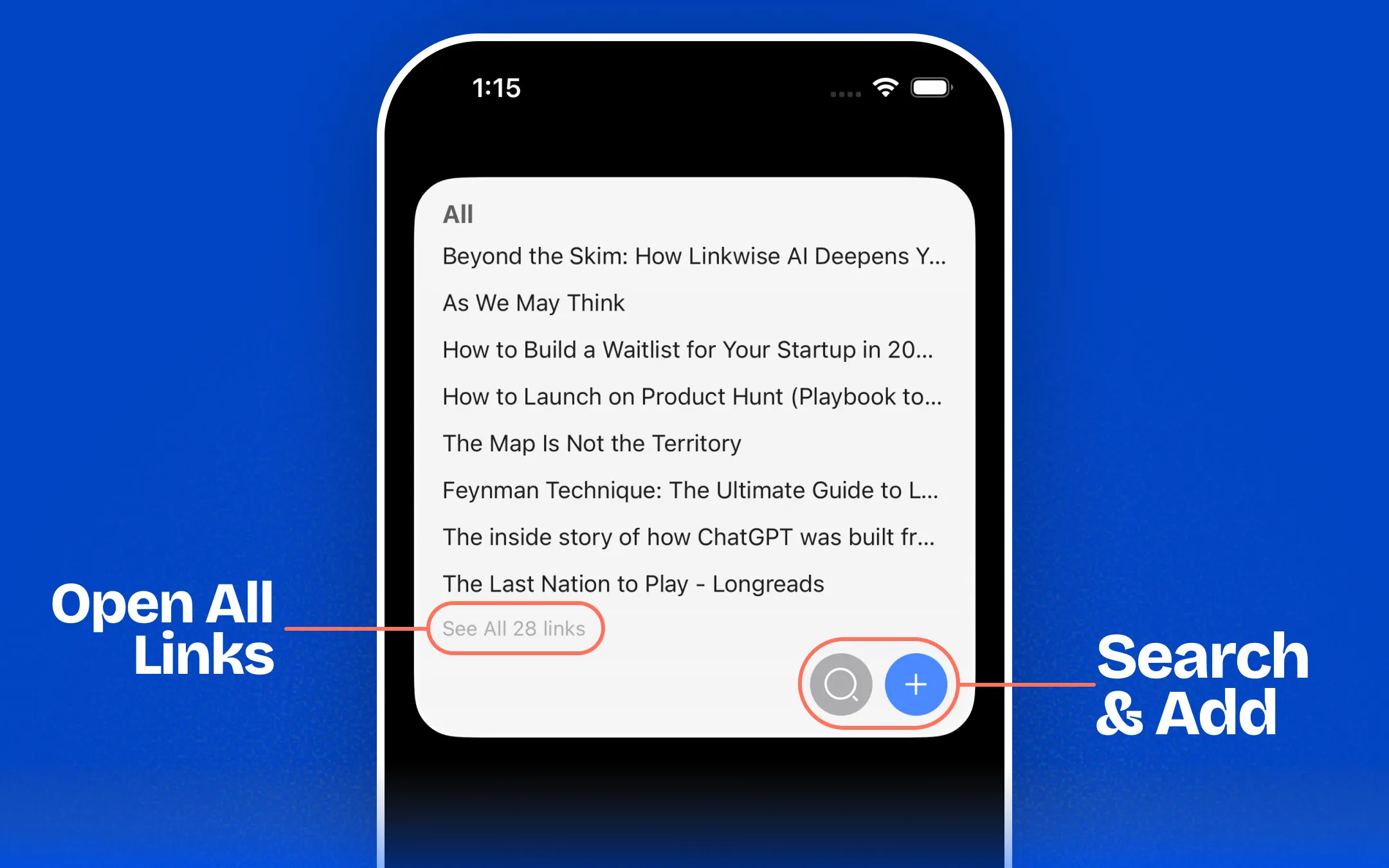
Search & Add: On medium and large widgets, you have access to dedicated buttons to instantly open search or add a new link.
View All: Tap "See All [X] Links" to immediately open your complete list of recent links inside the app.
Review Highlights Widget
This widget helps you rediscover past insights by displaying your highlights in a shuffled order. You can easily cycle through your takeaways by tapping the Refresh button to manually load a new highlight.
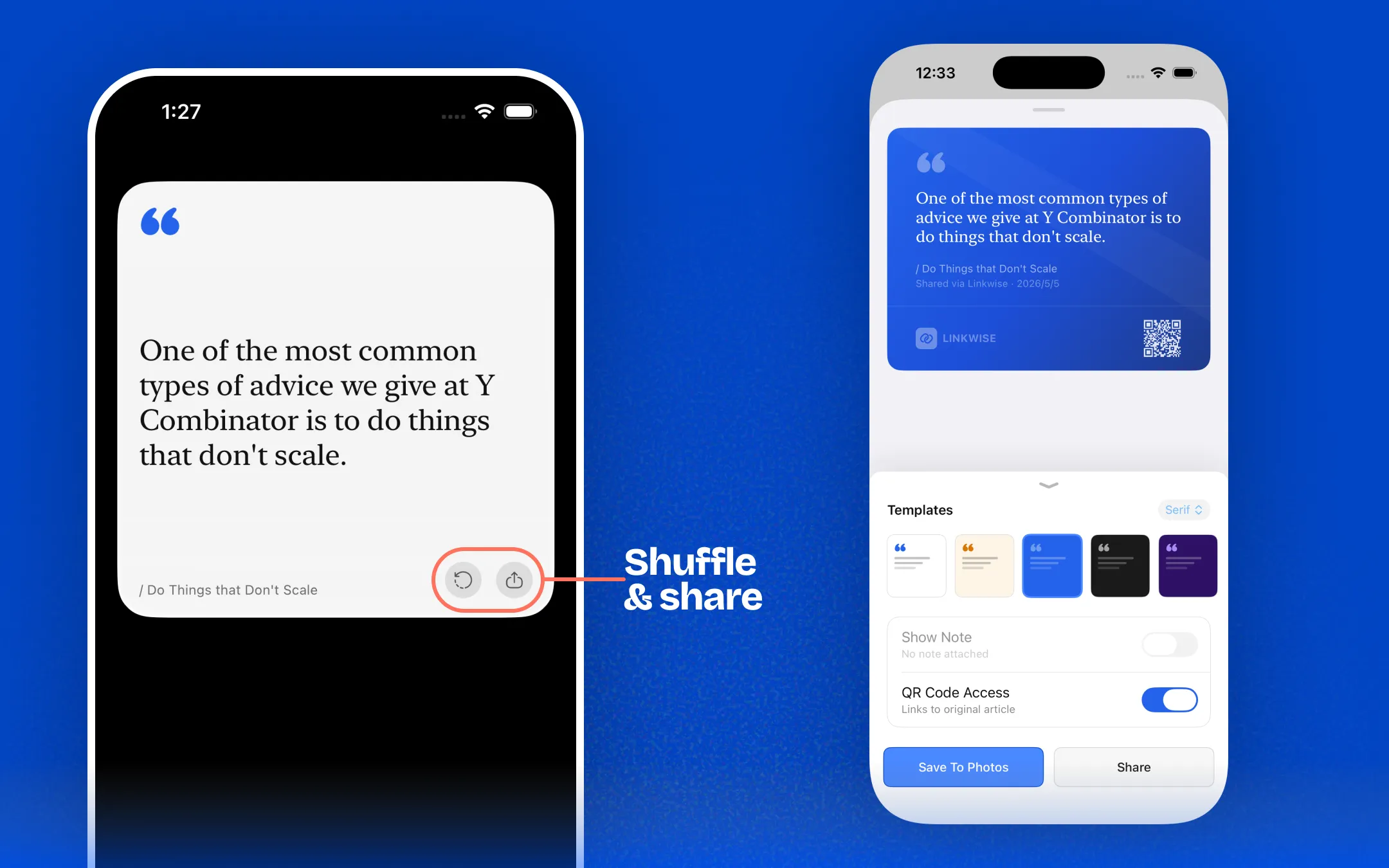
Share Your Reading: Turn your favorite quotes into beautiful, shareable graphics directly from the widget.
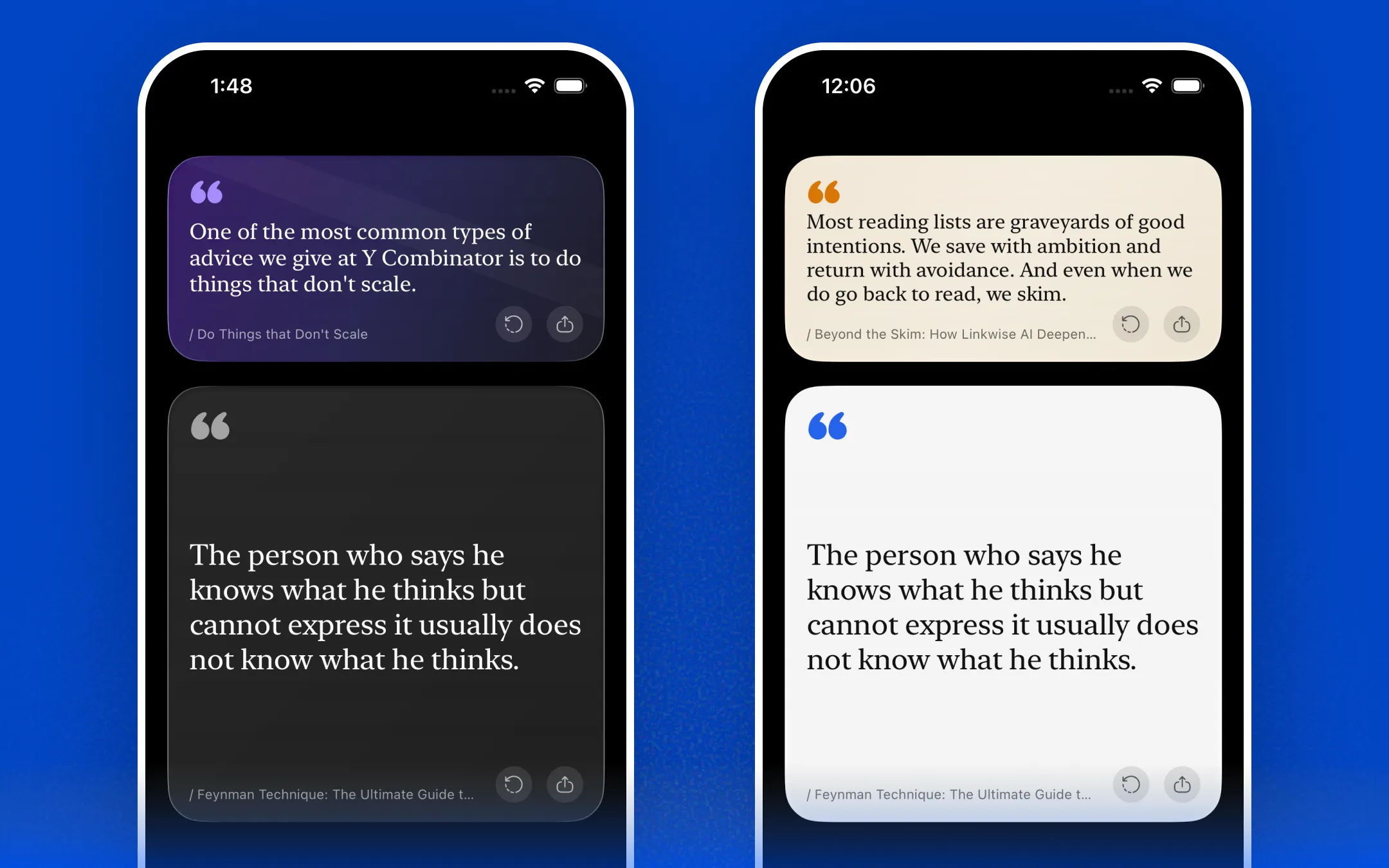
You can choose from multiple themes and templates to perfectly match your aesthetic and vibe!