

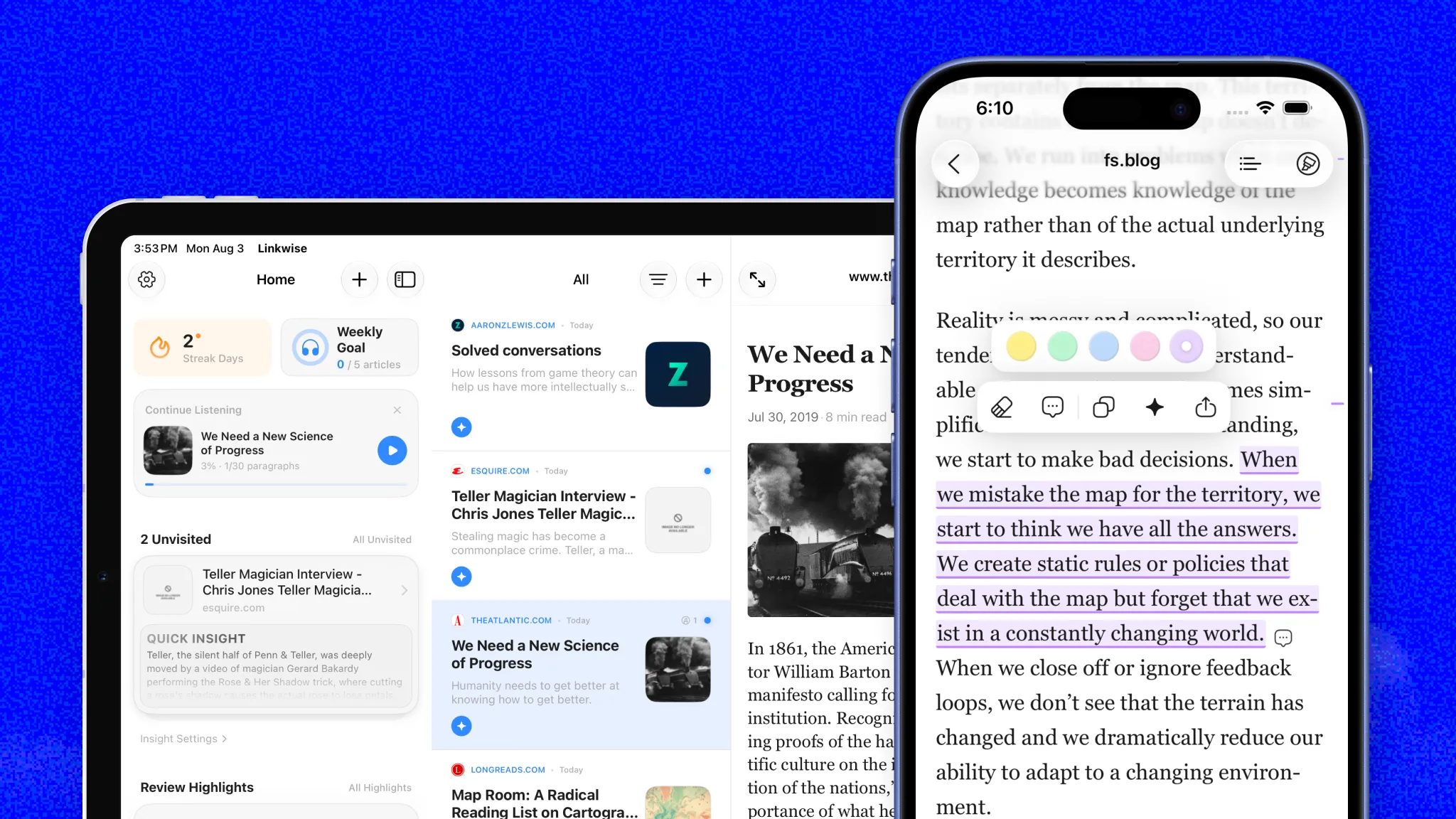
Linkwise is an intelligent link organizer designed to help you save, understand, and recall web content efficiently. There are several convenient ways to add links to your library and keep your digital space organized. Let’s walk through your options.
Ways to save to Linkwise
The Share Extension
The most convenient way to save articles, tools, and websites to Linkwise from your device is through the native share sheet. When viewing a webpage in Safari or your preferred browser, tap the Share icon and select Linkwise to save the URL directly to your library with a single tap.
Email Newsletters
You can send newsletters straight to your Linkwise account via email. Simply locate your unique Linkwise email address in the app settings and add it to your contacts. Whenever you forward an email containing a link to that address, it will automatically save to your reading list.
Subscribe to RSS Feeds
For continuous content discovery, you can subscribe to RSS feeds directly within Linkwise. Add the feed URLs of your favorite blogs, newsletters, or news sources, and new articles will stream straight into your app, ready to be saved and explored.
Key Linkwise Features
Auto AI Insights
When you save a link, Dex, our built-in assistant, gets to work reading the content for you. It instantly generates a clear, concise AI summary so you can grasp the core message of any article or webpage at a glance without having to read the whole thing. Best of all, these Auto AI Insights are fully supported across eight languages: English, Spanish, French, German, Chinese, Japanese, Korean, and Hindi.
Distraction-Free Reading & Highlights
Reading online should be a seamless experience. Linkwise automatically strips away ads, popups, and clutter to give you a clean reading environment. You can fully customize this space with adjustable reader themes, like dark mode or sepia and tailor the typography to your liking. As you read, easily highlight key passages your highlights are saved permanently to your library so you never lose track of important quotes or data.
Ask AI
Go beyond simple summaries by having a direct conversation with your saved content. Whether you need to extract a specific detail from a single article or want to synthesize information across an entire collection of links, you can use the Ask AI feature to get immediate answers. Just type your question, and let your personalized knowledge base do the heavy lifting.
Questions or Feedback?
If you need assistance setting up your library or have suggestions for the app, please check out the rest of our documentation or reach out to our support team at [email protected].
Thank you for using Linkwise!