

In a world of algorithmic timelines and noisy social feeds, RSS remains one of the most reliable ways to follow the content you actually care about - no ads, no algorithms, just the latest from sources you choose. Linkwise brings this simplicity right into your reading workflow.
You can subscribe to RSS feeds inside Linkwise in two ways.
Auto-Discovery
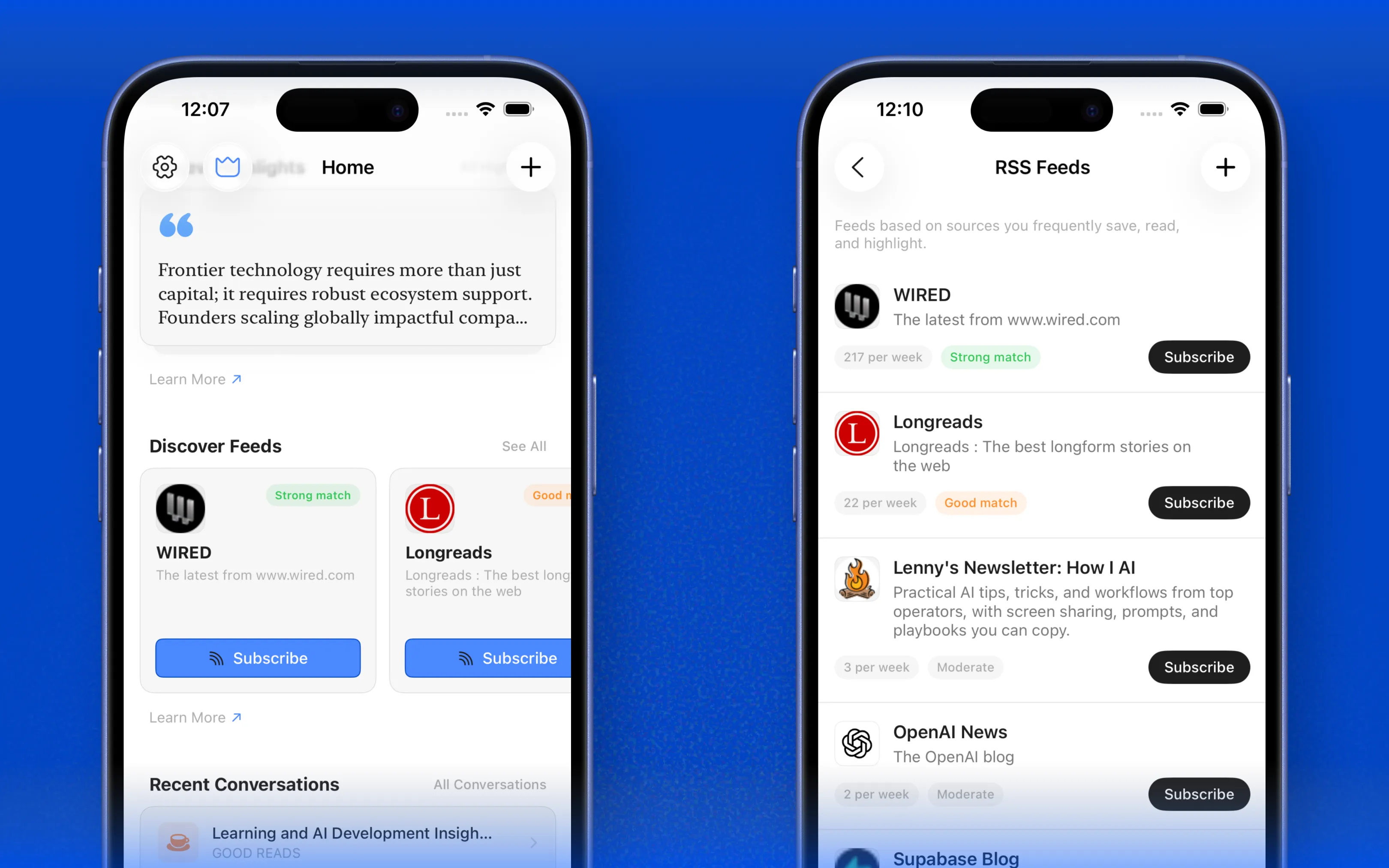
Whenever you save a link, Linkwise automatically scans the domain for the presence of an RSS feed. If one is detected, it surfaces as a suggestion - discoverable from both the Home screen and your Library.
No extra steps, no hunting for feed URLs. Just save a link and let Linkwise do the rest.
Manual Subscription
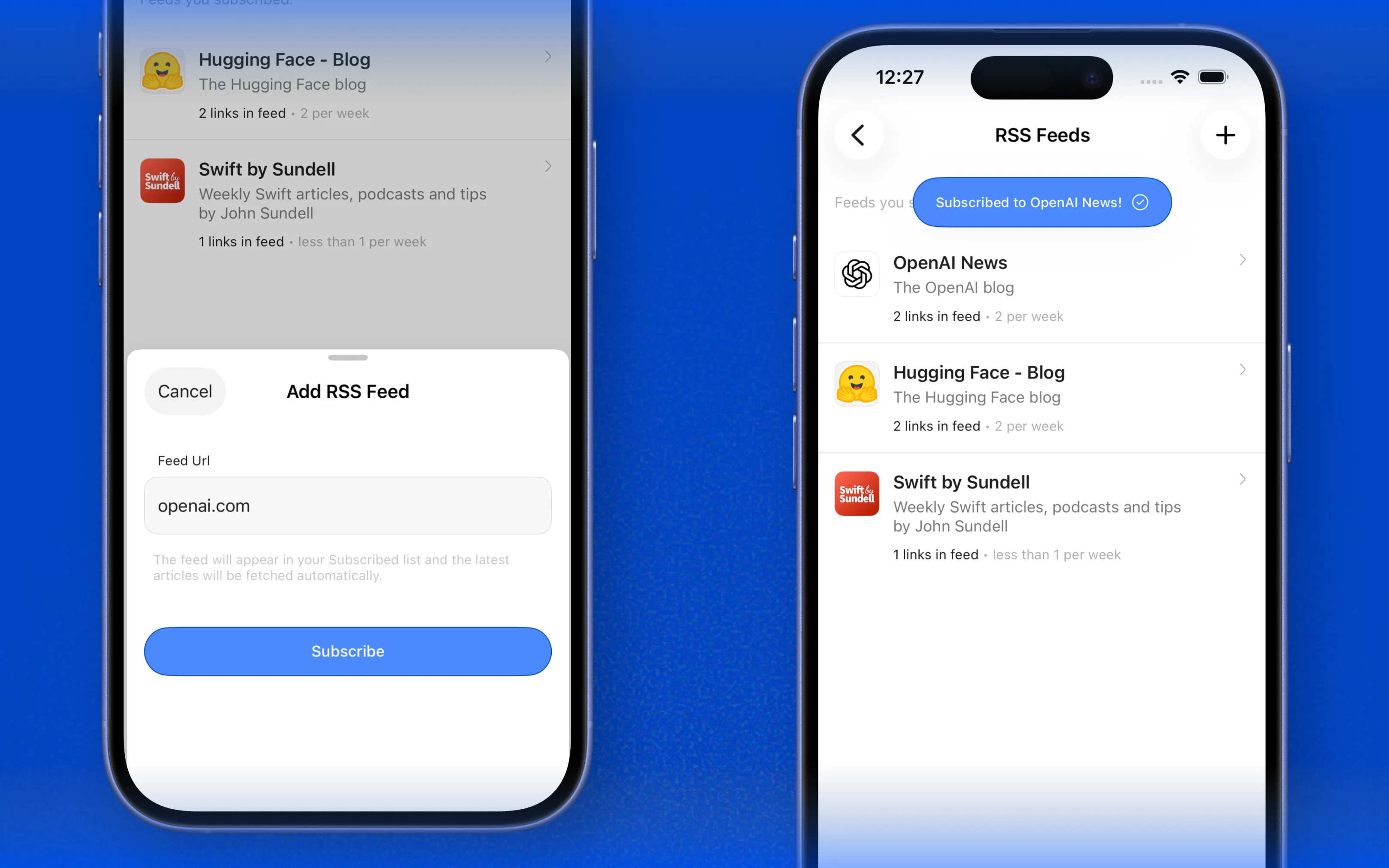
Inside the RSS Feeds screen, you can subscribe to any feed directly. You don't need the exact feed URL just type the domain name (e.g. techcrunch.com) and Linkwise will locate the feed, subscribe you, and surface the latest articles instantly.
Explore Creators and Sources
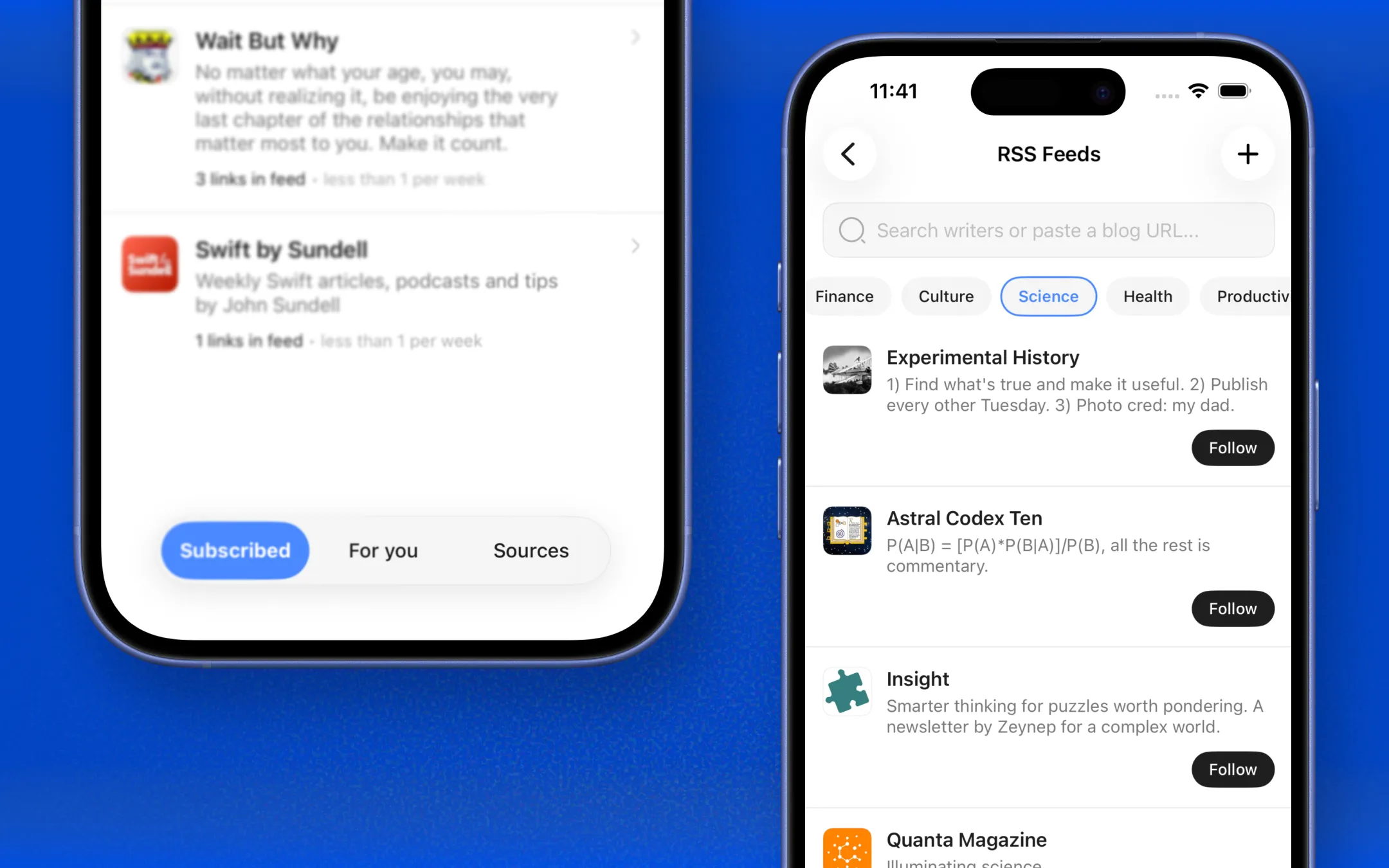
From the RSS Feeds screen in Sources tab, you can search for your favorite creators and publications by name, find their feed and subscribe with a single tap across different categories.
Subscription Limits
Free plan: You can subscribe to up to 3 RSS feeds. To add more, upgrade to Linkwise Pro for unlimited subscriptions.
Feeds you discover via auto-detection count toward this limit as soon as you subscribe - browsing or dismissing a suggestion does not.
How Discovery Feeds Are Sorted
Your Discover feed is personalized based on how you interact with content across Linkwise. Links you visit frequently, articles you highlight or annotate, and content you engage with the most - all of it contributes to how feeds are ranked.
The result: strongest matches appear at the top, so your Discover screen always leads with what's most relevant to you.