

Chat with Library is a conversational way to query everything you've saved in Linkwise. As you add articles, newsletters, and RSS items, the app indexes their full text along with the passages you highlight - and that index is what you talk to. You ask a question in plain language; Linkwise pulls the most relevant material from your own collection and writes back an answer grounded in real sources, each one linked so you can open the original.
What separates it from a generic chatbot is where the answers come from. It doesn't reach out to the open web - it works only with what you chose to save, so every response is anchored to material you already decided was worth keeping. That changes the kind of question worth asking: not “search the internet for X,” but “what does my reading say about X, and what did I make of it?” The sections below walk through what that makes possible - from finding your next read to drawing connections across your entire library.
01 / Discover
Ask for your next read
No more decision paralysis over a 400 item backlog.
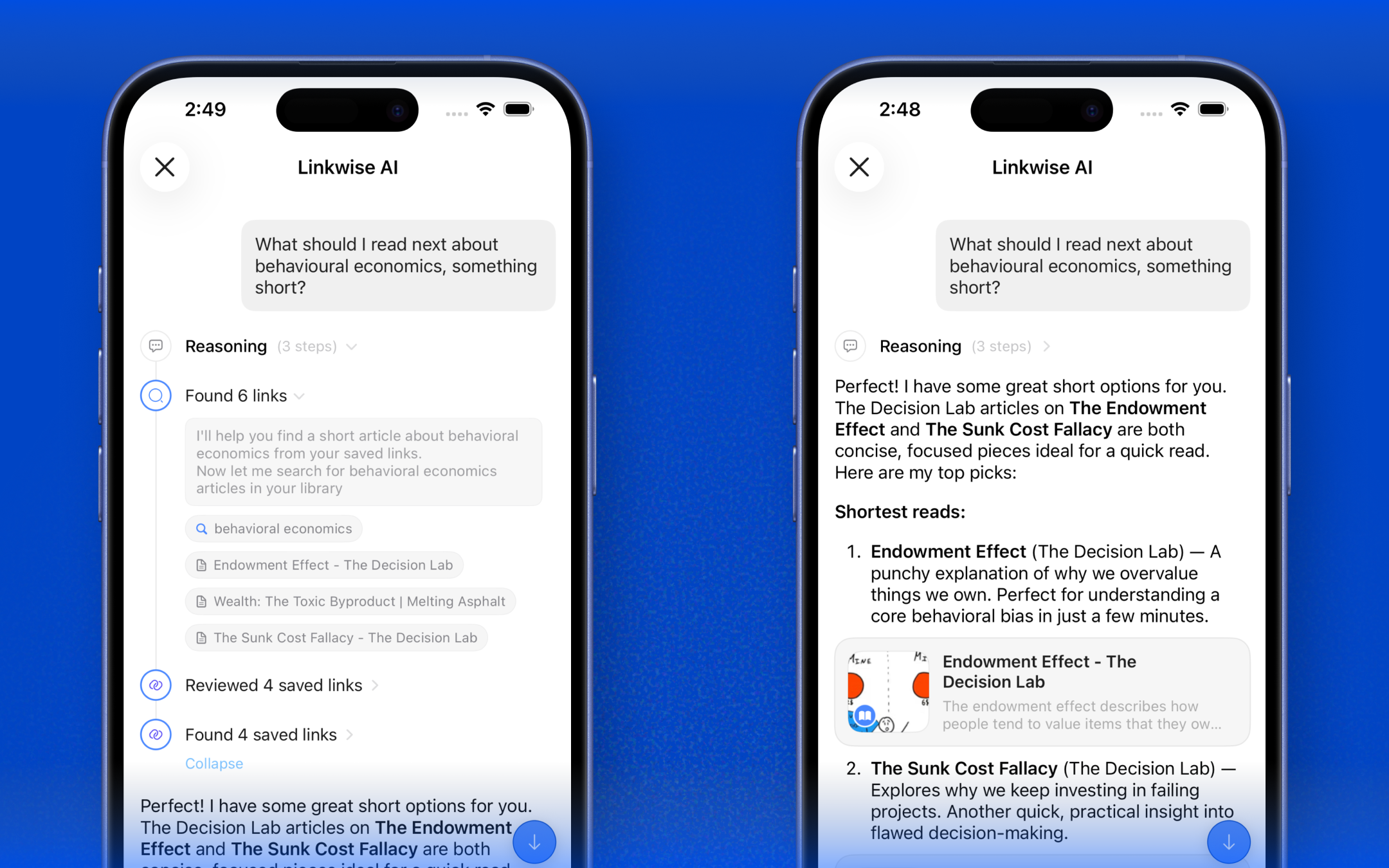
Tell Linkwise what you're in the mood for and it surfaces the best matches from your own library ranked, with a one-line reason for each. Topic, theme, length, recency: it understands all of it.
You can ask “What should I read next about behavioural economics, something short?”
02 / Listen
Turn your backlog into a playlist
Reading time is scarce. Listening time isn't.
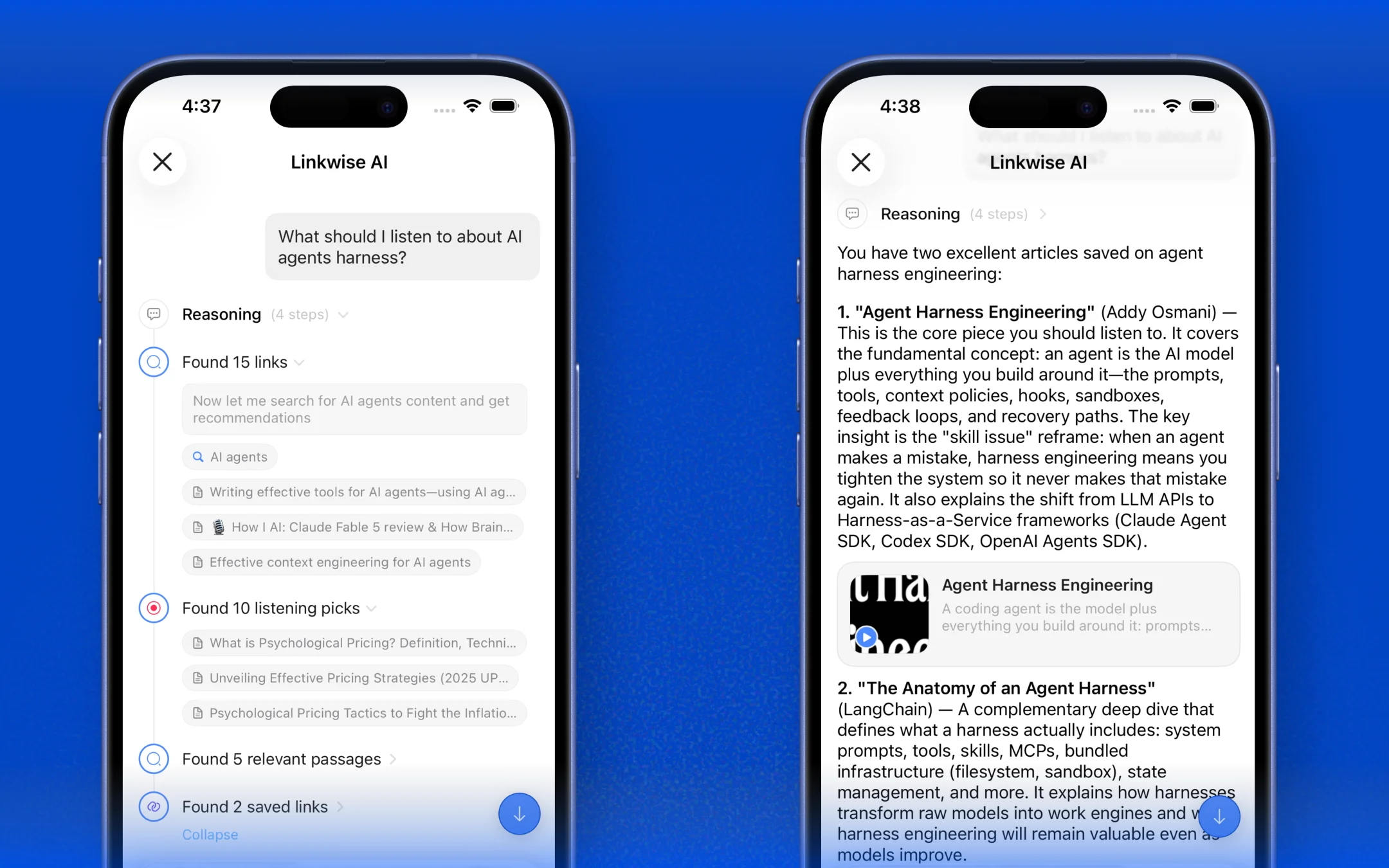
Because every saved piece in Linkwise can be played as natural-sounding audio, you can ask for something to listen to by situation a commute, a workout, a 20-minute walk and get suggestions that fit the time you have, ready to play on the spot.
You ask “What should I listen to about AI agents harness?”
03 / Recall
Get back your own highlights
The best ideas you saved are the ones you marked.
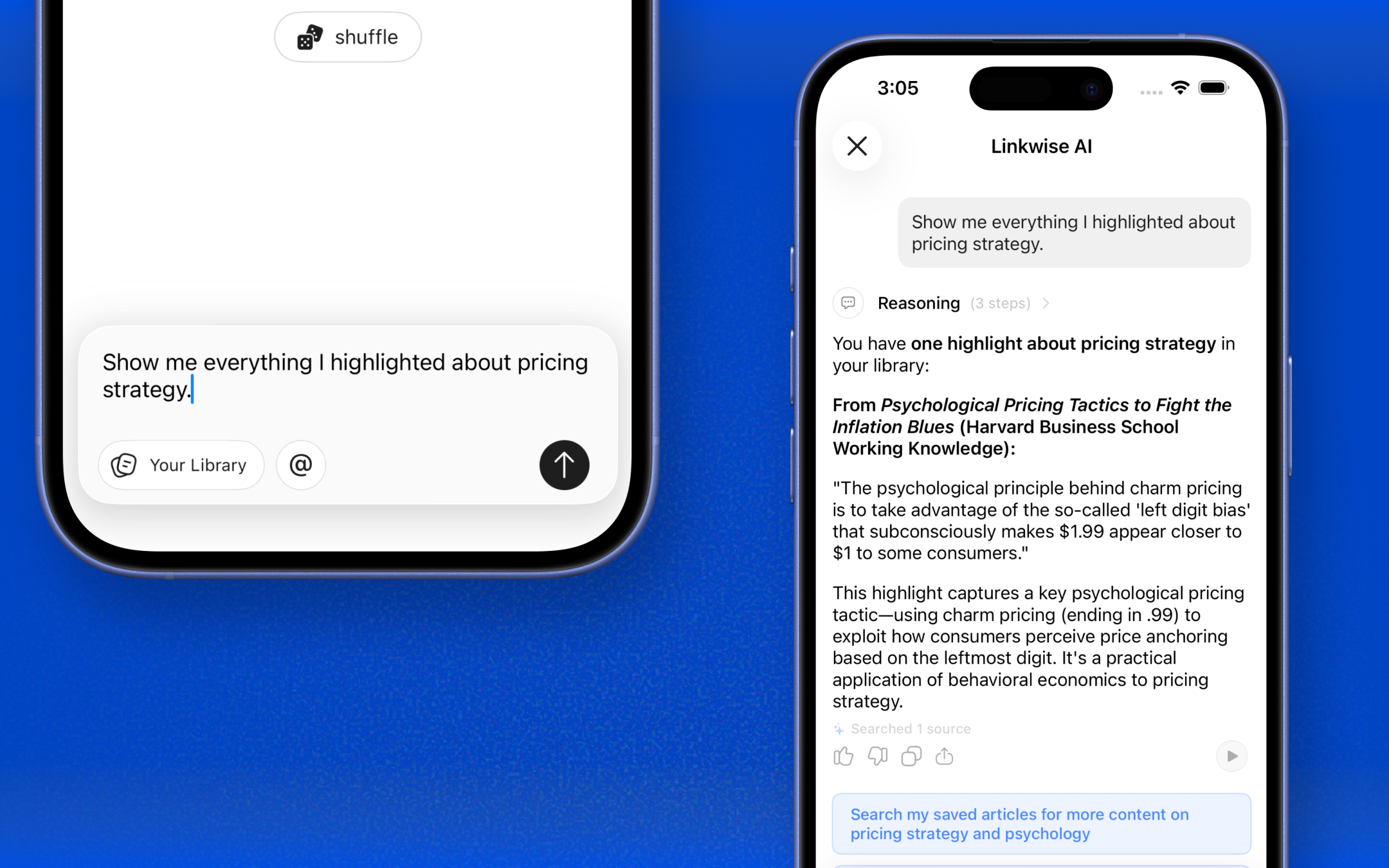
Every passage you've highlighted becomes searchable through conversation. Ask what you flagged on a topic and Linkwise returns your exact highlighted lines, each linked back to the source, so months of marginalia turn into an instant, queryable memory.
You ask “Show me everything I highlighted about pricing strategy.”
04 / Focus
Aim at the right shelves with @Collection
Sometimes you don't want the whole library - just two corners of it.
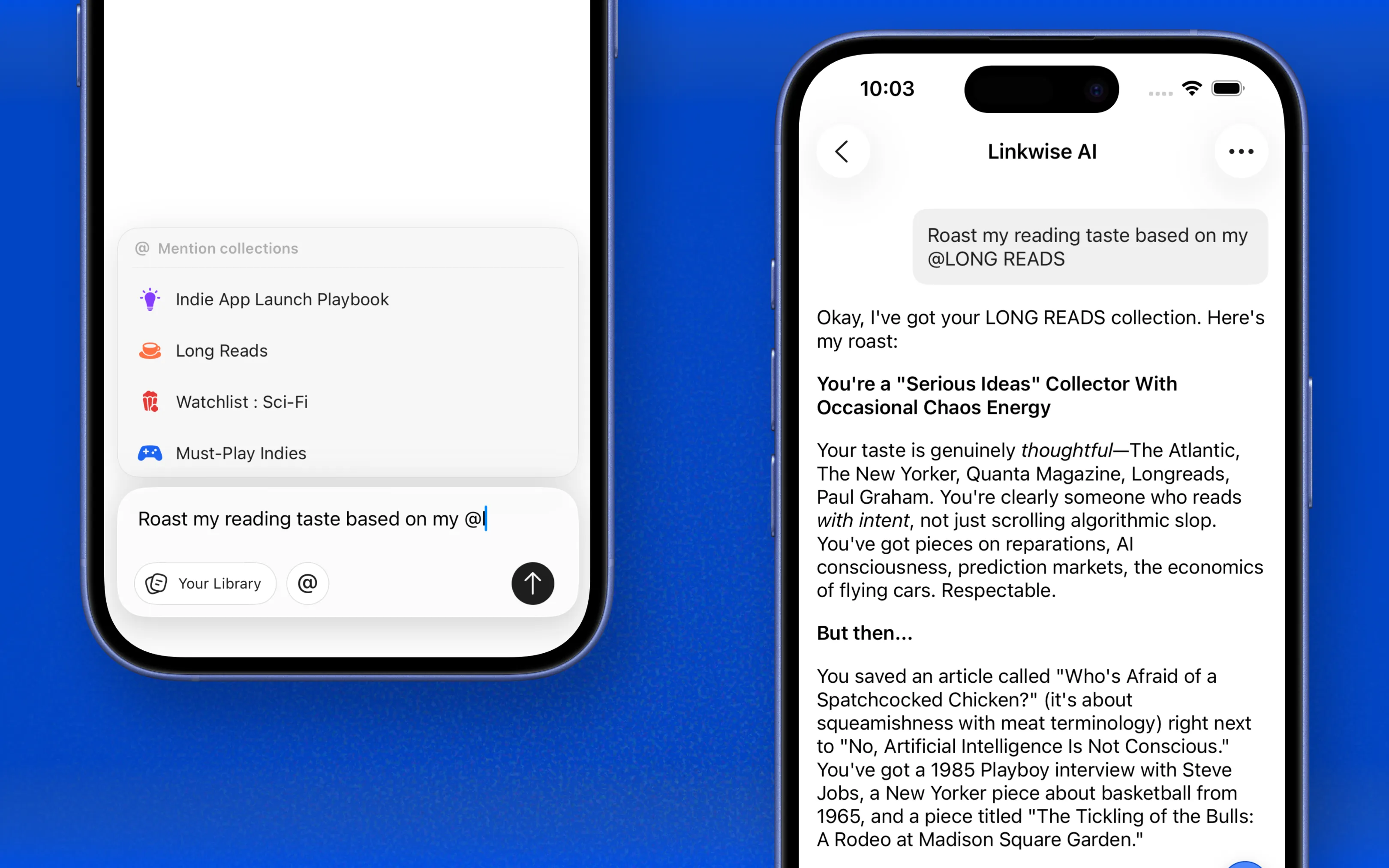
Type @ and Linkwise suggests your collections. Tag one, or stack several in a single question, and the answer is scoped to exactly those shelves. Ask across your @Longread or @Research at once and ignore everything else - precision without lifting a finger to filter.
You ask "Roast my reading taste based on my @Longread"
It stopped being a pile of links I felt guilty about, and started being something I could actually talk to.
05 / Synthesize
Chat with your entire library
Where it goes from handy to genuinely new.
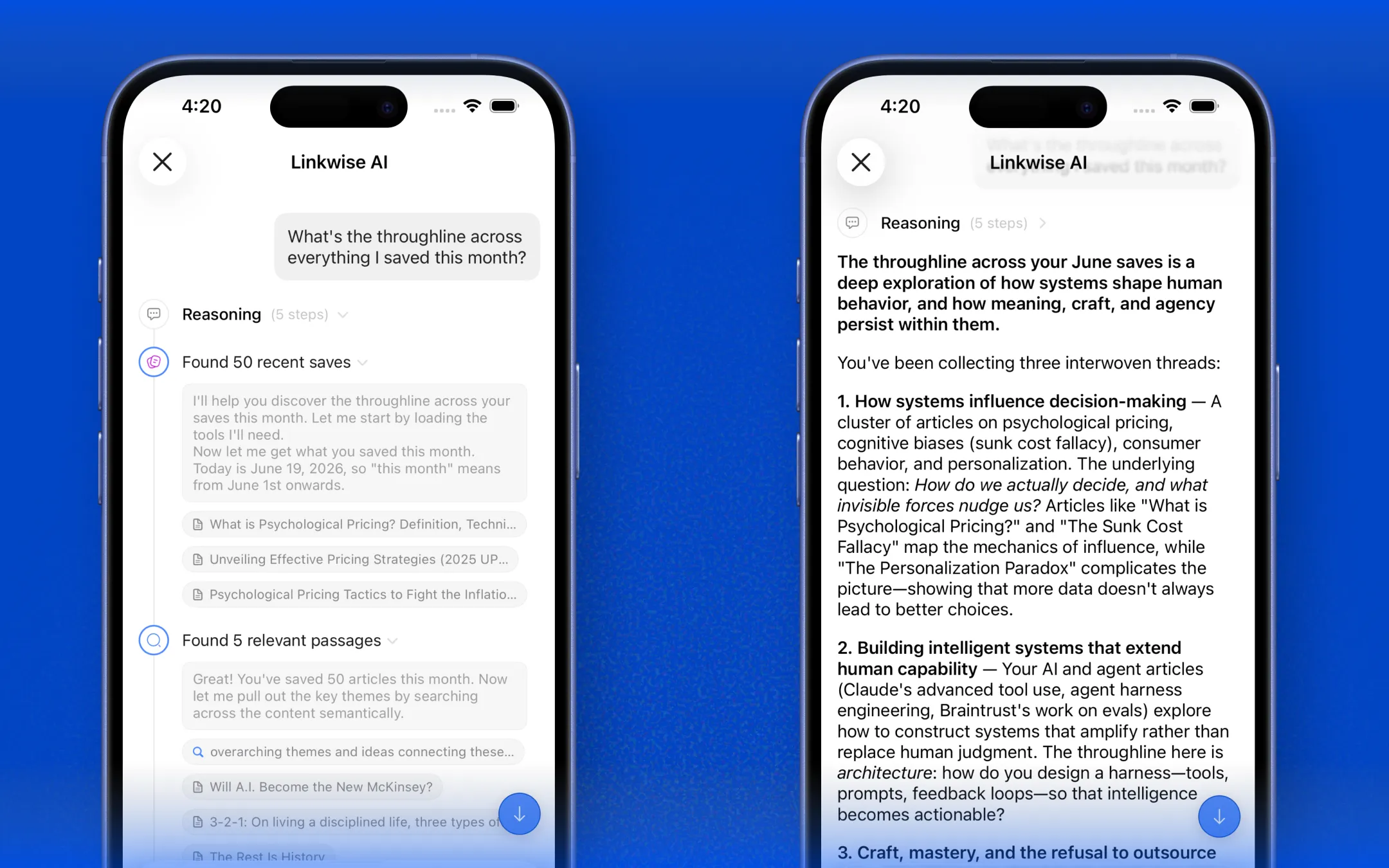
Leave the tags off and Linkwise draws on everything you've saved at once. It connects ideas across dozens of sources, reconciles articles that disagree, and writes you a clear answer with citations so you can ask the big, fuzzy questions that no single bookmark could ever answer.
You ask “What's the throughline across everything I saved this month?”
06 / And more
The little asks that add up
Beyond the headline uses, people lean on Chat with Library for the small things every day: summarize a long read before committing to it, find that half-remembered article you can only describe vaguely, pull the key takeaways from a dense newsletter, or draft a quick note from three sources at once. Anything you'd normally dig for, you can just ask for.