


In our previous post, Chat with Your Library, we showed how you can talk directly to your saved content. Today, we’re taking active learning a step further with Creator Mode.
Creator Mode fundamentally transforms how you consume saved content. Instead of passively reading wall-to-wall text, Creator Mode turns your links into a interactive learning playground - generating Reports, Mind Maps, Quizzes, and Flashcards in a single tap.
Whether you run Creator Mode on a single link, an entire collection, or your whole library, Linkwise synthesizes your saved context into visual and playful study tools.
The Creator Mode Toolkit
Creator Mode gives you four specialized output engines tailored to different learning styles and cognitive needs:
1. Reports: Deep Synthesis Without the Noise
When you save multiple articles on a complex topic - say, market trends, system architecture, or neurobiology, reading through them sequentially takes hours.
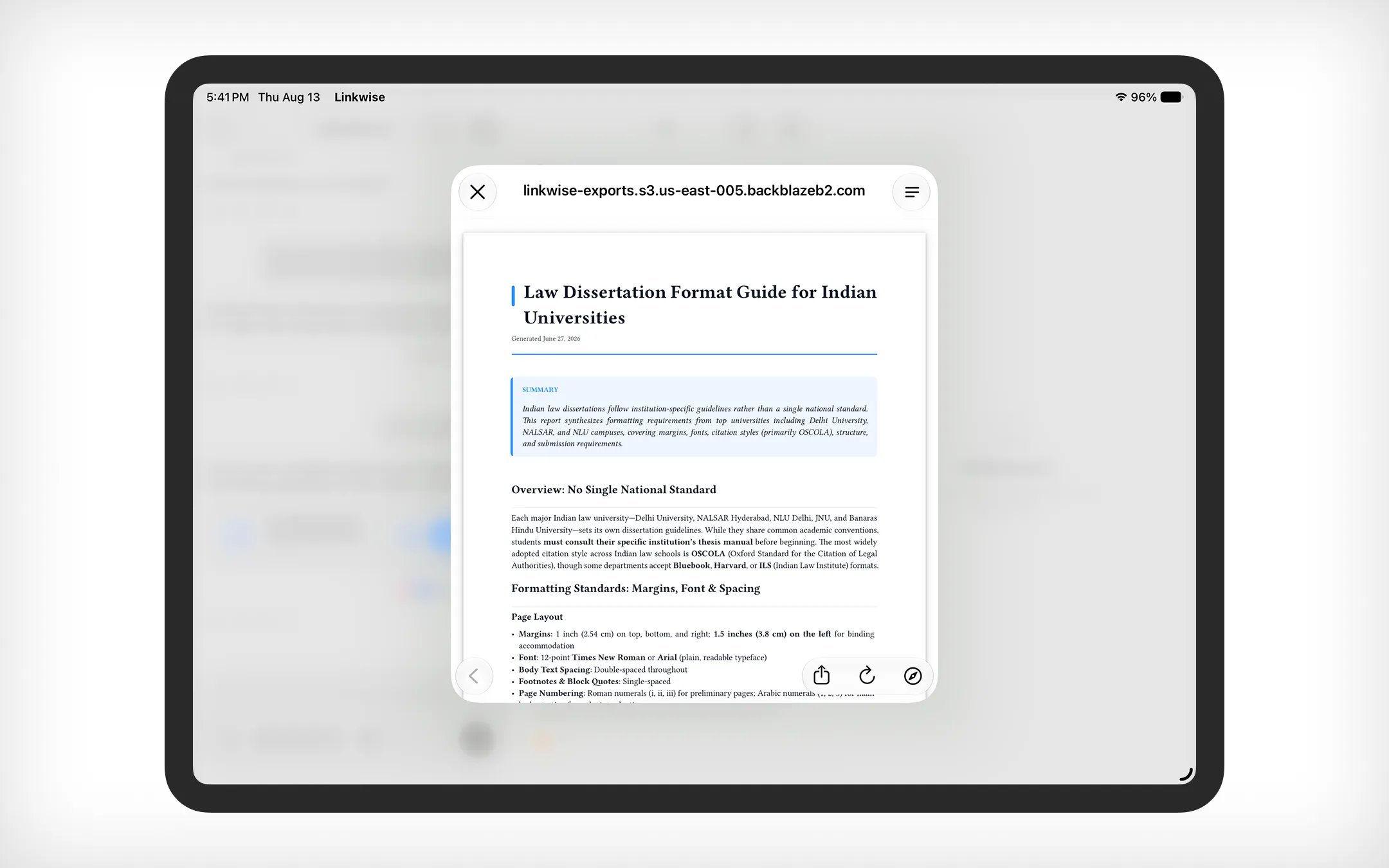
What it does: Linkwise analyzes your selected sources and drafts a structured, comprehensive summary report.
Why it matters: It connects dots across multiple links, extracts core arguments, highlights key data points, and distills sprawling ideas into a coherent executive summary.
Best used for: Quick briefings, research overviews, and synthesizing multi-source research into clear actionable notes.
2. Mind Maps: Visualizing Knowledge Architecture
Linear reading isn't always how our brains retain information. Mind maps help you build a spatial mental model of complex topics.
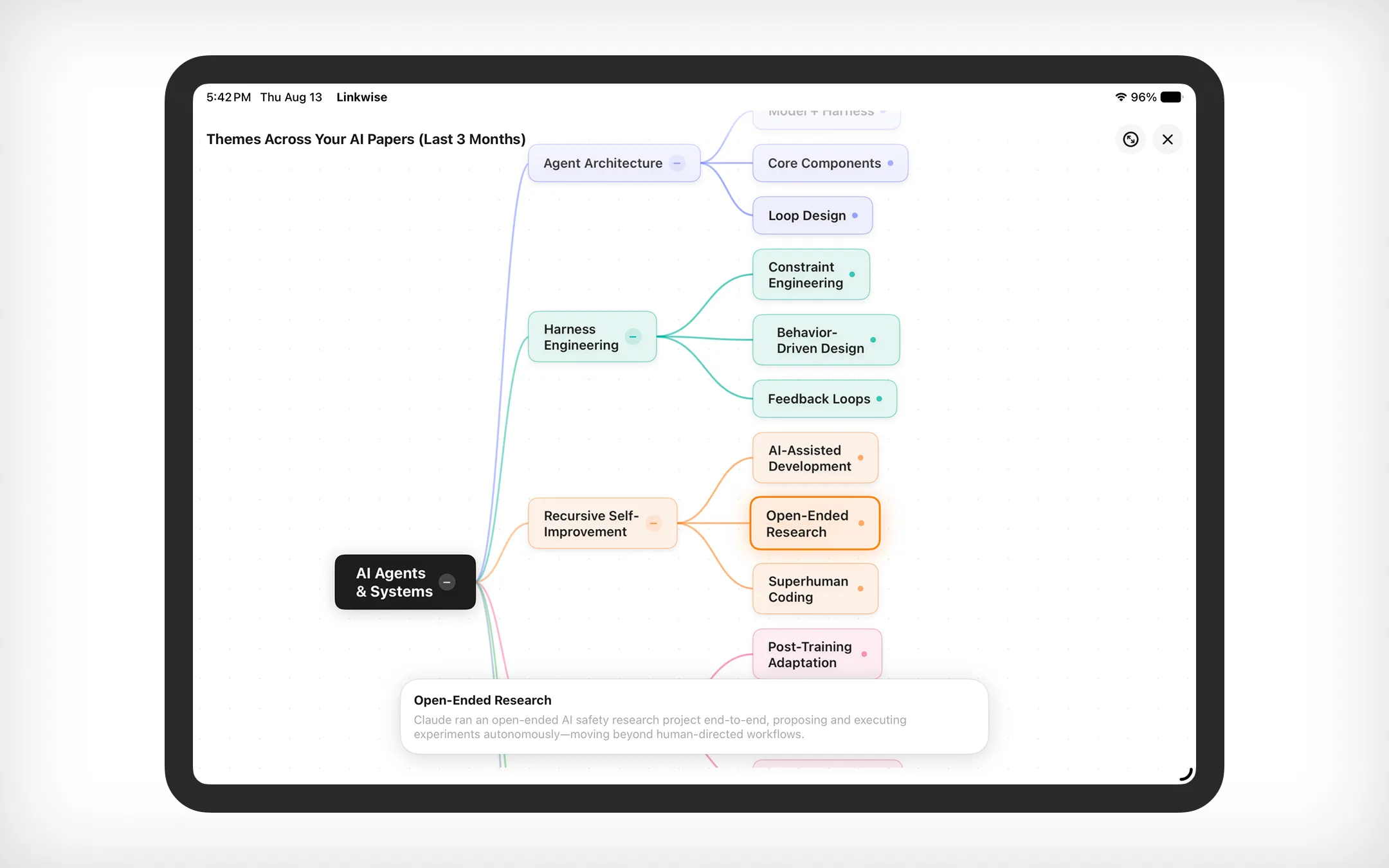
What it does: Creator Mode automatically parses your content into hierarchical, visual node diagrams.
Why it matters: You can trace how main topics branch out into supporting ideas, sub-arguments, and real-world examples. It lets you digest the "big picture" macro structure of a subject before diving into micro details.
Best used for: Brainstorming, mapping out complex frameworks, and visually linking related concepts across different articles.
3. Quizzes: Active Recall on Demand
Passive reading creates an illusion of competence - you feel like you understand a topic simply because the words look familiar. Quizzes force active recall, which is scientifically proven to lock knowledge into long-term memory.
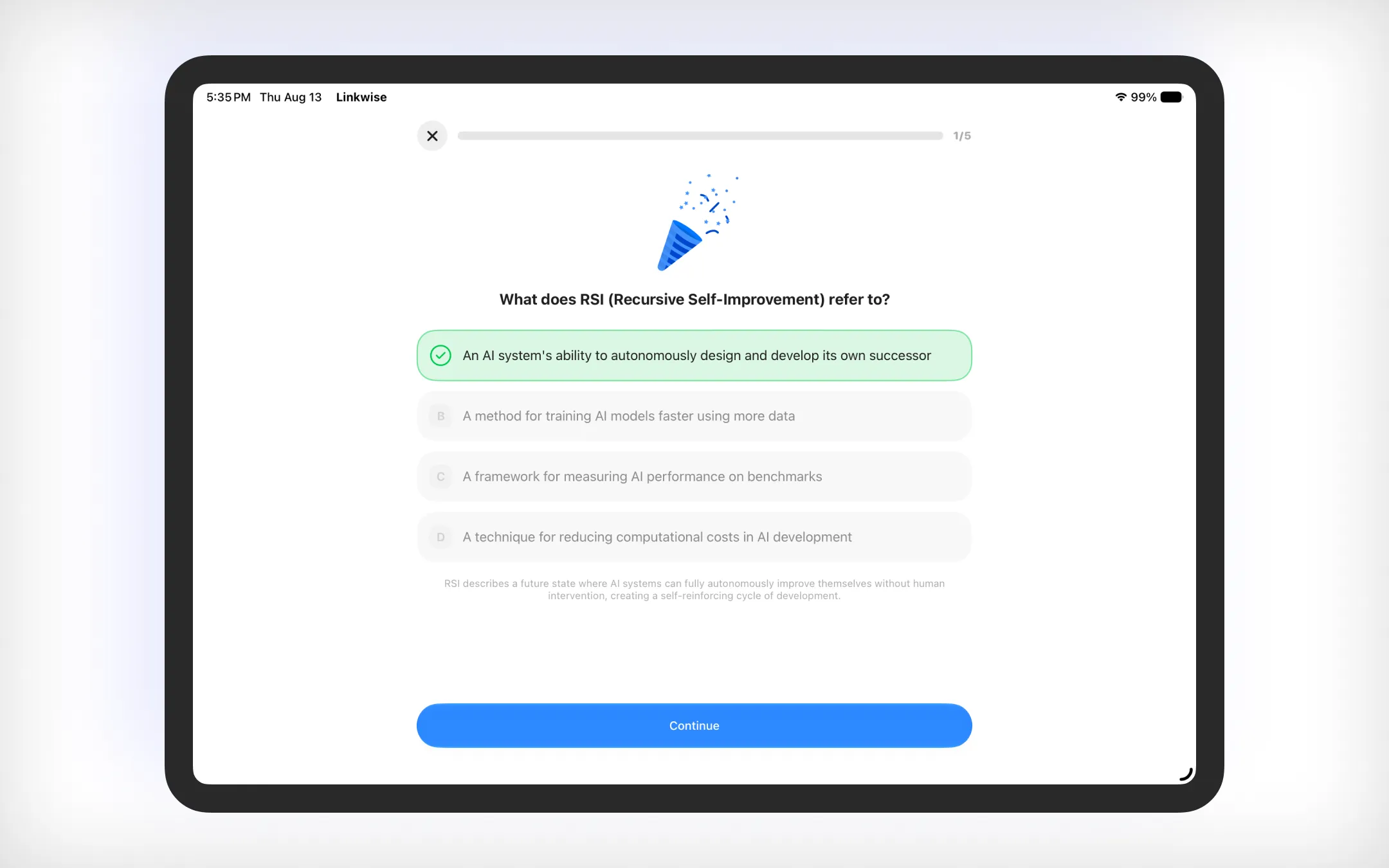
What it does: Linkwise generates dynamic multiple-choice or short-answer tests based directly on the facts, arguments, and takeaways inside your saved content.
Why it matters: It tests your retention instantly, pinpoints blind spots in your understanding, and makes self-evaluation fast and fun.
Best used for: Exam prep, self-assessment after reading a dense article, or gamifying your daily learning routine.
4. Flashcards: Rapid Spaced Repetition
For key terminology, definitions, formulas, or pivotal quotes, flashcards remain the gold standard of quick-burst study.
What it does: Extracts key concepts and generates bite-sized digital flashcards with questions or terms on the front and clear, concise answers on the back.
Why it matters: Perfect for mobile, on-the-go learning. Flip through a quick 5-minute deck during your commute or coffee break to reinforce what you learned earlier.
Best used for: Memorizing key definitions, technical jargon, historical dates, or core formulas.
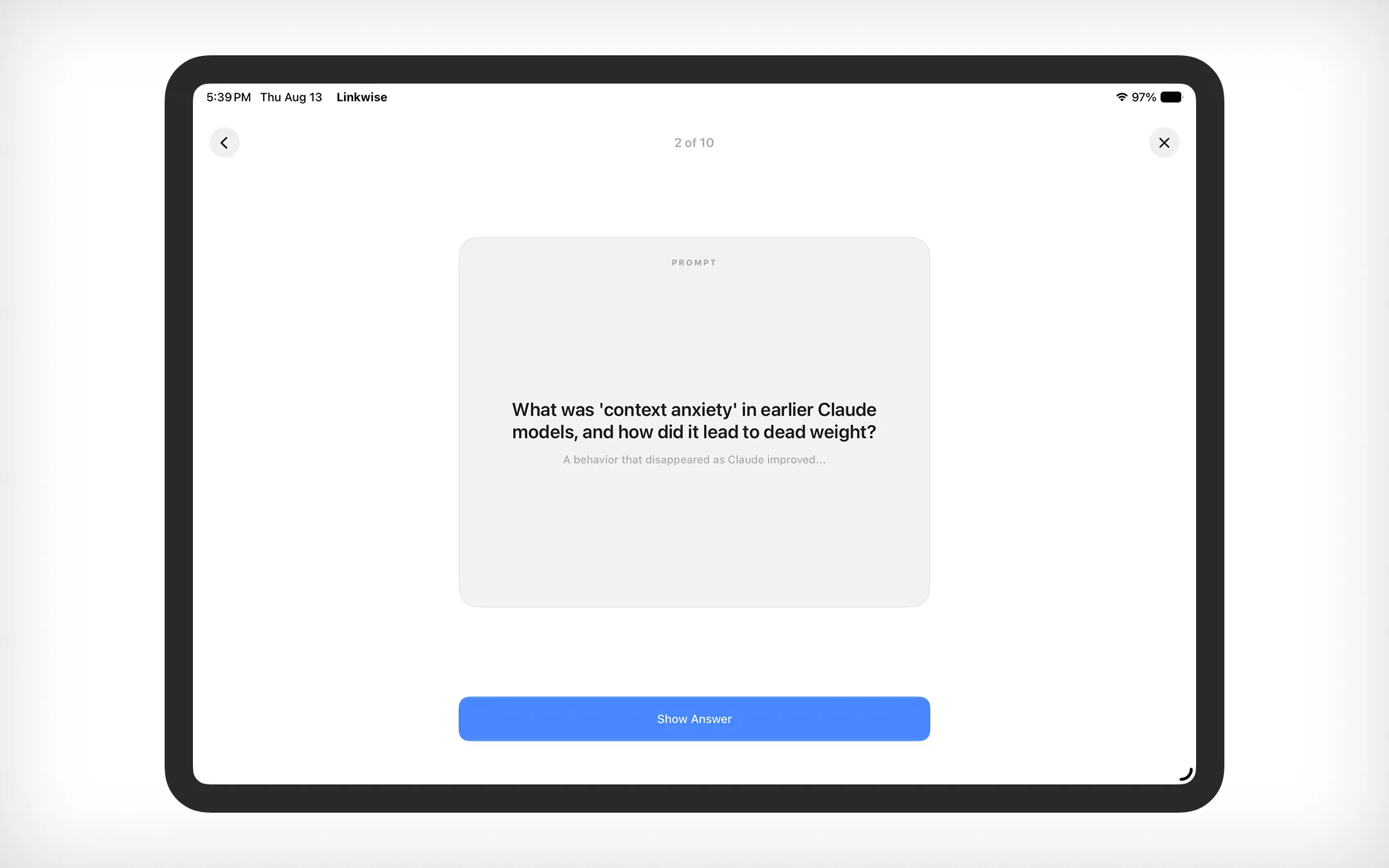
How Creator Mode Gamifies & Boosts Your Learning
Traditional read-it-later apps encourage passive hoarding. Linkwise Creator Mode turns bookmarking into active creation.
Engage Multiple Senses: By combining structured text (Reports), spatial diagrams (Mind Maps), interactive testing (Quizzes), and rapid repetition (Flashcards), Creator Mode caters to visual, auditory, and kinesthetic learning styles.
Frictionless Study Material Creation: Preparing study tools used to take hours of manual effort. Linkwise handles the synthesis in seconds, leaving you with 100% of your time focused on actual learning.
Scope It Your Way: Apply Creator Mode broadly across your entire library to find hidden connections between totally different topics, or narrow down to a single tag or collection for laser-focused study sessions.
Try Creator Mode Today
Creator Mode is live in the latest version of Linkwise. Open any link, open a collection, or tap into your full library, select Creator Mode, and pick how you want to learn today!
Got feedback or a feature request? Let us know inside the app or reach out on X. Happy learning!